Read your way
Clear pages, comfortable colors, and search that brings you to your place.
See the experience ↗READ. REMEMBER. RETURN.
A quiet moment in a busy day. Your Quran, your daily reading, and the tools for your journey — together in one place.
Designed for iPhone & iPad
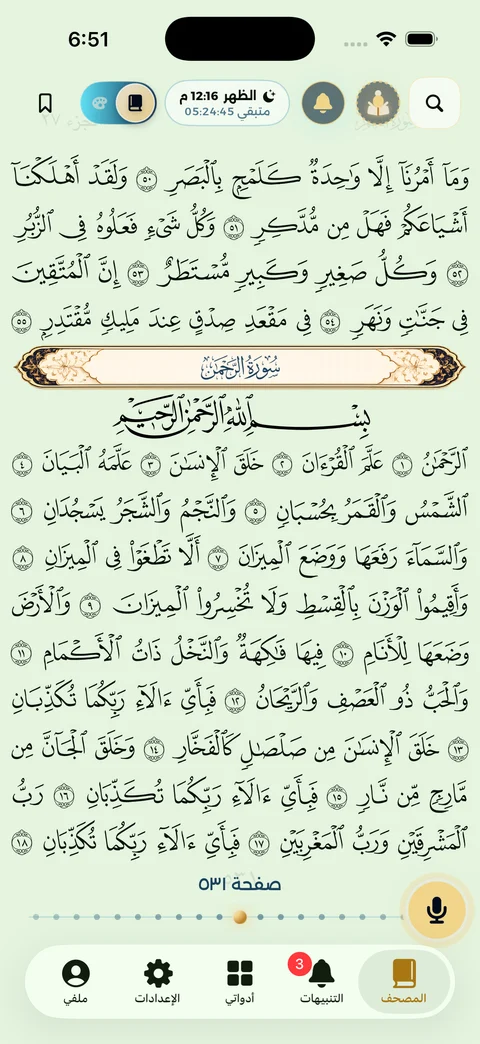
01 / MADE FOR YOUR JOURNEY
Start with a page, a verse to listen to, or your daily reading. Every small step has a place here.
Clear pages, comfortable colors, and search that brings you to your place.
See the experience ↗Memorization plans, daily reading and khatmah tools to keep your journey in view.
See the experience ↗Choose a reciter, listen to a verse and explore its tafsir while you read.
See the experience ↗WHERE EVERYTHING SLOWS DOWN
Different reading colors, with tools close when you need them. Listen, open tafsir from a verse, or search without losing your place.
02 / THROUGHOUT YOUR DAY
Adhkar, prayer times and daily reading. Small tools to help you make space for remembrance.
Organized adhkar and simple progress tracking.
Plan your daily reading, khatmah and memorization.
Evening and sleep adhkar, with Daily Companion on your Lock Screen.
Daily Companion follows your configured prayer schedule. Open the app periodically to refresh it.
Explore widgets and learn how to add them ↗03 / INSIDE THE APP
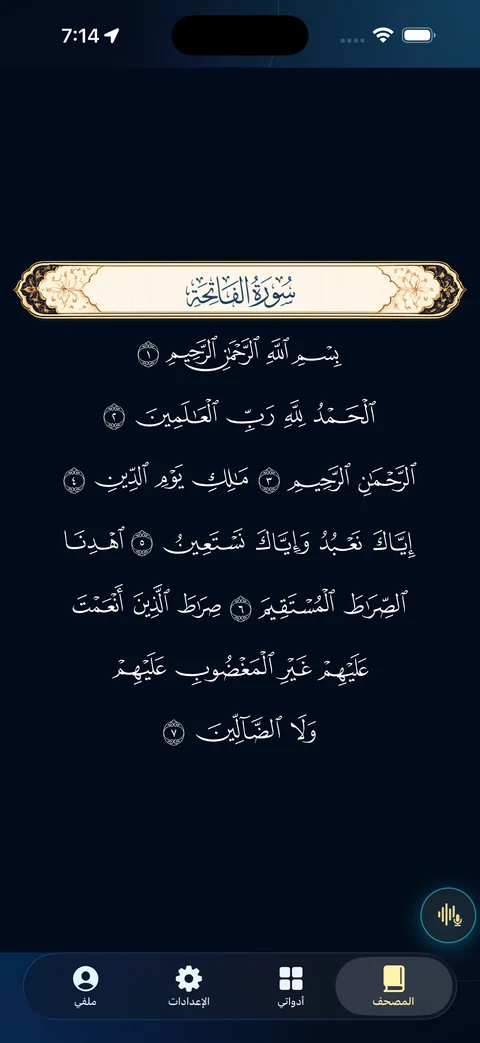
Actual app screenshots. Explore the reader, themes and tools before you begin.
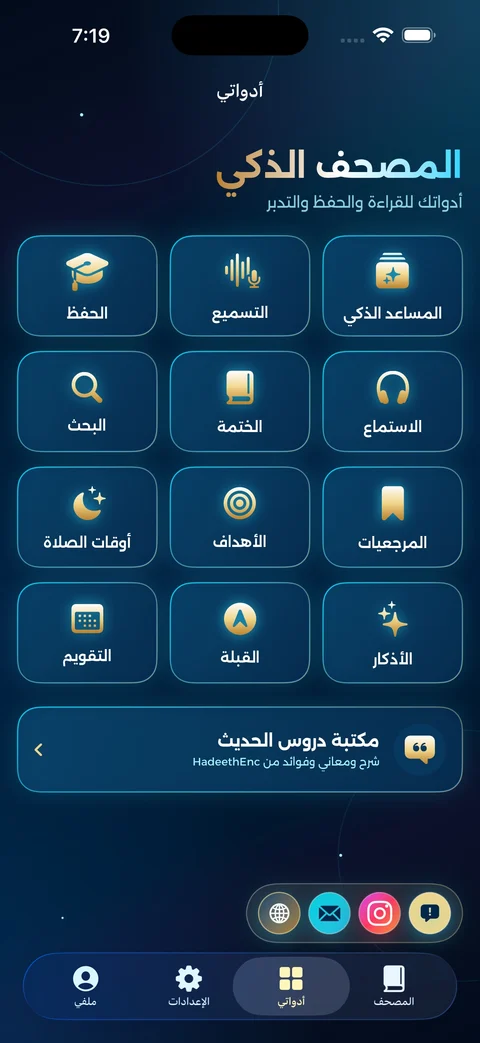
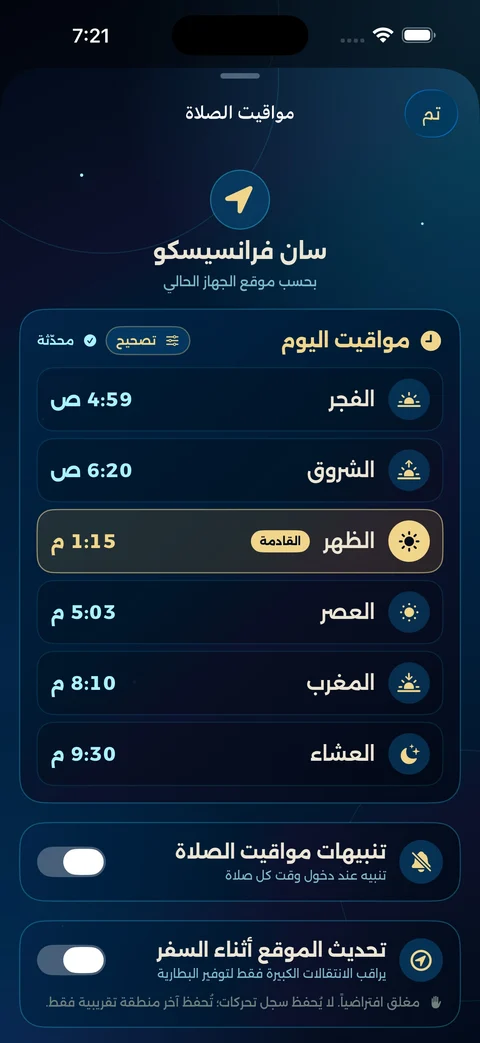
Screens from app versions; details may vary by release and device. Prayer times shown are examples, not your local schedule.
04 / SHORT STORIES
Three motion graphics films combining visual storytelling with actual simulator footage. Play when you choose; no autoplay.
Reading · 22 seconds
Download film ↓Verse tools · 22 seconds
Download film ↓Your daily companion · 22 seconds
Download film ↓A SPACE YOU CAN TRUST
Begin as a guest and grant permissions when you use the relevant feature. Microphone permission is for recitation practice, not reading or listening. Our privacy policy explains how your data and recitation-session audio are handled.
Privacy, clearly ↗BEFORE YOU BEGIN
Practical answers to help you read, listen and set up your experience.
Widget setup guide ↗Open the Quran, then the index, and choose a surah or page. Search can also help you find a surah or verse without moving page by page. Return to your last reading position or a bookmark you saved when you want to continue.
Tap a verse to open its tools, then choose listening or tafsir. This lets you explore the meaning or hear the verse from the place you are reading. Close the tools when you are ready to continue.
Choose listening from the verse tools, open the reciter options and select a reciter. Start playback and use the audio controls to manage it. Loading audio requires internet access; if playback does not start, check your connection and device volume, then try again.
Listening plays your selected reciter and does not need to record your voice. Recitation practice is a session where you read aloud to follow your memorization progress, so it needs microphone permission and internet access. Use a quiet place and treat the results as a study aid, not a replacement for learning with a qualified teacher.
You can read Quran pages and content bundled with the app without a connection. Listening to recitations, recitation practice and account services that contact the server need internet access. Open the app online to refresh prayer times before travelling; the widget does not fetch a new prayer schedule on its own.
You can begin reading as a guest. Sign-in is used for account-linked features. When changing phones or reinstalling, do not assume all locally stored data transfers automatically; check that the data you need is available in your account before deleting the old installation.
Choose a reading color in Settings to suit your surroundings. Try a light background during the day or a dark one at night, and adjust your device brightness too. The setting changes the reading appearance; tajwid colors remain in the dedicated tajwid Quran.
Yes. Use the one-page and two-page control in the iPad reader tools. Available space changes with device orientation; choose one page for a larger view or two to see a full spread.
Daily reading helps you set aside a portion for your day. Khatmah follows your progress toward reading the complete Quran, while a memorization plan organizes learning and review. Choose the tool that fits your goal and start with an amount you can maintain.
The Home Screen has Prayer Dashboard in three sizes. The Lock Screen has options for adhkar, reading, prayer and memorization, including Daily Companion, which changes throughout the day. The widget guide explains installation, supported shapes and what each widget opens.
It follows the prayer schedule saved for your location, so its stages change with the date and place. Open the app periodically and after travelling to refresh that schedule. iOS controls widget updates, which can be delayed. When the saved schedule expires, the widget directs you to prayer times to refresh it.
Include your device, iOS and app versions, the steps that caused the issue and what you expected to happen. A screenshot or screen recording can help after personal details are hidden. Never send passwords or sign-in codes; support does not need them.

SMARTMUSHAF
Available now on the App Store for iPhone and iPad